

PCI DSS Level 1
Card data protection to international standards
(tokenization, encryption)
Accept online payments with cards issued in Russia, including Mir, Russia’s national card payment system, to reach the widest audience and avoid conversion losses


Thanks to autopay
and one-click payments
Automatic switching between acquiring banks in case of failures
Fewer fraudulent transactions thanks to 3-D Secure 2 two-factor authentication and Payture Fraud Monitoring
Through payment holds and partial capture
Accept online payments with cards issued in Russia, including Mir, Russia’s national card payment system, to reach the widest audience and avoid conversion losses
Thanks to autopay
and one-click payments
Automatic switching between acquiring banks in case of failures
Fewer fraudulent transactions thanks to 3-D Secure 2 two-factor authentication and Payture Fraud Monitoring
Through payment holds and partial capture
Accept online payments with cards issued in Russia, including Mir, Russia’s national card payment system, to reach the widest audience and avoid conversion losses
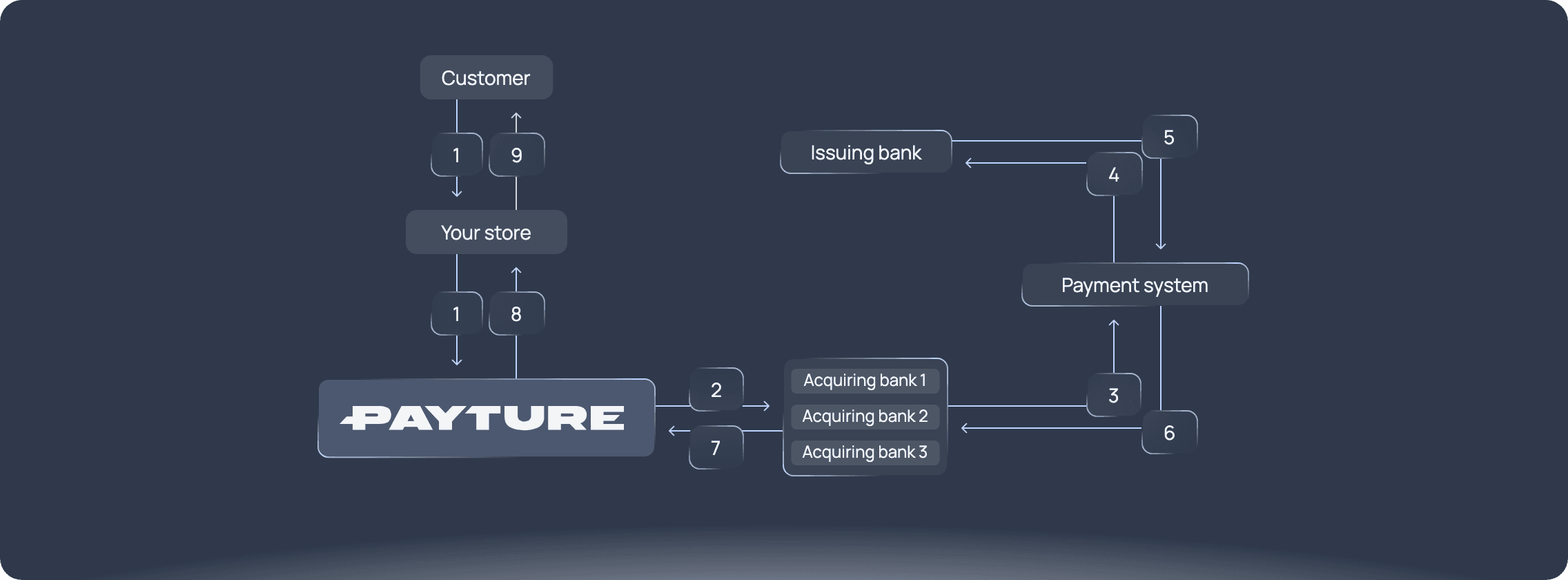
Places an order and chooses a payment method on the secure Payture payment page
Payture Fraud Monitoring checks the transaction for signs
of fraud. If approved, Payture sends the payment authorization request
to the acquiring bank for settlement.
If the main acquiring bank declines, Payture
automatically routes the payment to a backup bank.
Sends the transaction request to the relevant card scheme
Contacts the processing center of the issuing bank that issued the customer’s card
Authenticates the customer’s payment data. The issuing bank approves or declines the transaction
Reports whether the authorization request was approved or declined
Confirms that the transaction succeeded or passes on the payment decline
Notifies the online store whether the acquiring bank approved or declined the transaction
Completes the sale or cancels the order
Places an order and chooses a payment method on the secure Payture payment page
Payture Fraud Monitoring checks the transaction for signs
of fraud. If approved, Payture sends the payment authorization request
to the acquiring bank for settlement.
If the main acquiring bank declines, Payture
automatically routes the payment to a backup bank.
Sends the transaction request to the relevant card scheme
Contacts the processing center of the issuing bank that issued the customer’s card
Authenticates the customer’s payment data. The issuing bank approves or declines the transaction
Reports whether the authorization request was approved or declined
Confirms that the transaction succeeded or passes on the payment decline
Notifies the online store whether the acquiring bank approved or declined the transaction
Completes the sale or cancels the order
Places an order and chooses a payment method on the secure Payture payment page
Payture Fraud Monitoring checks the transaction for signs
of fraud. If approved, Payture sends the payment authorization request
to the acquiring bank for settlement.
If the main acquiring bank declines, Payture
automatically routes the payment to a backup bank.
Sends the transaction request to the relevant card scheme
Contacts the processing center of the issuing bank that issued the customer’s card
Authenticates the customer’s payment data. The issuing bank approves or declines the transaction
Reports whether the authorization request was approved or declined
Confirms that the transaction succeeded or passes on the payment decline
Notifies the online store whether the acquiring bank approved or declined the transaction
Completes the sale or cancels the order
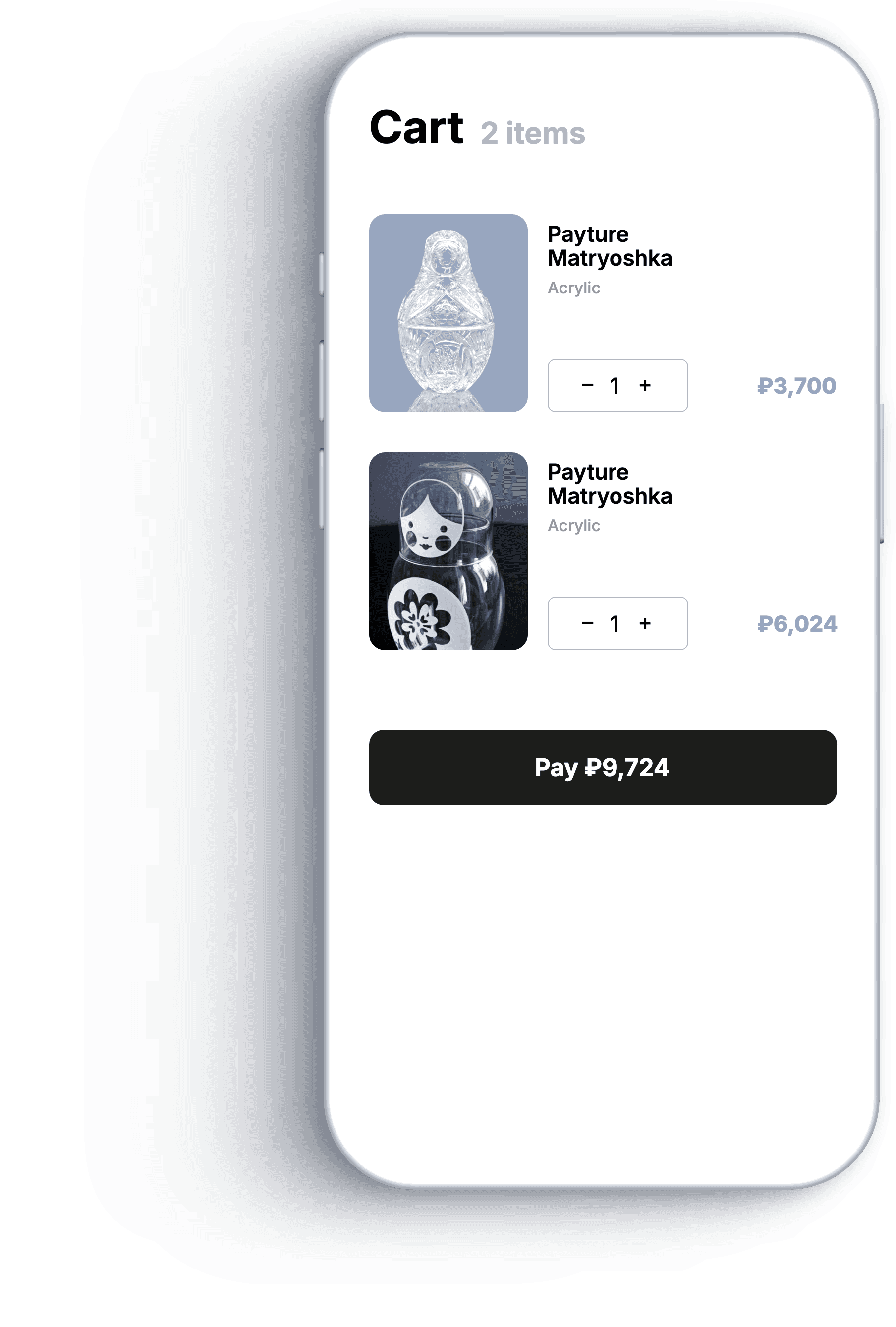
The customer fills the shopping cart and proceeds to checkout

Connecting backup
acquiring banks

Payment form customization

Electronic receipt form customization


Electronic receipt form customization


security
Card data protection to international standards
(tokenization, encryption)
Full compliance with GOST R 57580, the Russian national standard
for financial data security
and operational resilience
Certificate of full quarterly ASV scanning
solutions
Because we partner with many banks and providers to accept Russian and international bank cards, the standard fee for Russian cards starts from 2.7%, and from 1.3% for preferential MCCs (merchant category codes); fees for international payments start from 4.5%. Commercial terms depend on the monthly volume you plan to process through the Payture payment gateway and on your business category.
At the moment, we can’t onboard self-employed individuals (a Russian tax status).
Yes. We operate internationally and have a wide network of partners that can enable you to accept online payments with both Russian and international cards, for residents and non-residents of Russia.
Yes, we provide free test access. You can use it to complete your integration, explore our service’s features hands-on, and make payments with test cards.
You can make a refund in 3 ways:
1. Via the API.
2. In the Payture merchant dashboard.
3. Through Payture technical support.
How long it takes for the refund to reach the customer depends on the issuing bank: up to 5–7 days (faster in practice).
In general, yes, it’s mandatory, since it’s a security tool that prevents fraudulent transactions. However, 3DS isn’t used for recurring payments, although the customer’s first payment or saving a card does require 3DS authentication.
Yes, you can use holds (two-step payments), in which the funds are blocked on the customer’s card. You can then capture the funds either automatically via the API or manually in the merchant dashboard. Both partial and full capture are available. With a partial capture, the remaining funds are automatically released and returned to the customer.
Yes, such limits exist. They depend on the acquiring bank.
You can find the technical documentation on the Integration methods page.
You can support whichever scenarios your business logic requires. We’ll apply the necessary settings on our side accordingly.
You can get the payment status in 2 ways:
1. By calling the /GetState API method.
2. Via notifications sent to the URLs and/or email addresses you specify.
Recommended format: GUID/UUID or alphanumeric. Other formats may cause failures in banking services. The order number must be unique. If you initialize a new order with an order_id that has already been used, the system returns a DUPLICATE_ORDER_ID error.
The payment page opens, the customer enters their card details, and the card is checked for 3DS enrollment. The customer is then redirected to the issuer’s page, where they enter a code to complete 3DS. When the payment succeeds, the page displays “Payment completed successfully.” You can customize the payment template (see “Payment page templates” for details), and you can also pass a return page that the customer is sent to after the successful payment message. The redirect page can’t be customized.
A recurring payment is a merchant-initiated payment with a previously saved card that doesn’t require the customer to re-enter their card details. Recurring payments use the eWallet integration method, which comes with two terminals. One terminal is used for the first payment and for saving the card (3DS is mandatory), and the other is used for recurring payments. First, make a payment or hold with card saving, or simply save the card, on the first terminal. Once the card is saved, call /GetList to get the CardId parameter, which you need to make a recurring payment. Recurring payments are processed on the second terminal. You can find the request parameters in our documentation: https://payture.com/api/#ewallet_.
 Privacy Policy (in Russian)Personal Data Processing Policy (in Russian)Consent to Personal Data Processing (in Russian)