Anti-fraud
Payture Anti-fraud in the Merchant Account lets you filter and search transactions checked by the Anti-fraud service, and view and manage the fraud monitoring rules configured for the Merchant.
This service is available only to Merchants who have enabled the fraud monitoring service.
Available services
| Analytics | Visual statistics of accepted and rejected anti-fraud transactions (as percentages and absolute values) for the selected period |
| Search/Filter | Searching for a transaction by its parameter values, provided it has passed the Anti-fraud fraud monitoring check, and viewing the transaction details, history and check result |
| Demo mode | Verifying that rules work correctly in the Anti-fraud system Designed for running a CheckFraud check from the Payture Antifraud Merchant Account page |
| Rule management | Viewing, creating, deleting or modifying the fraud monitoring rules configured for the Merchant Access to this service is not granted to all Merchants |
Analytics
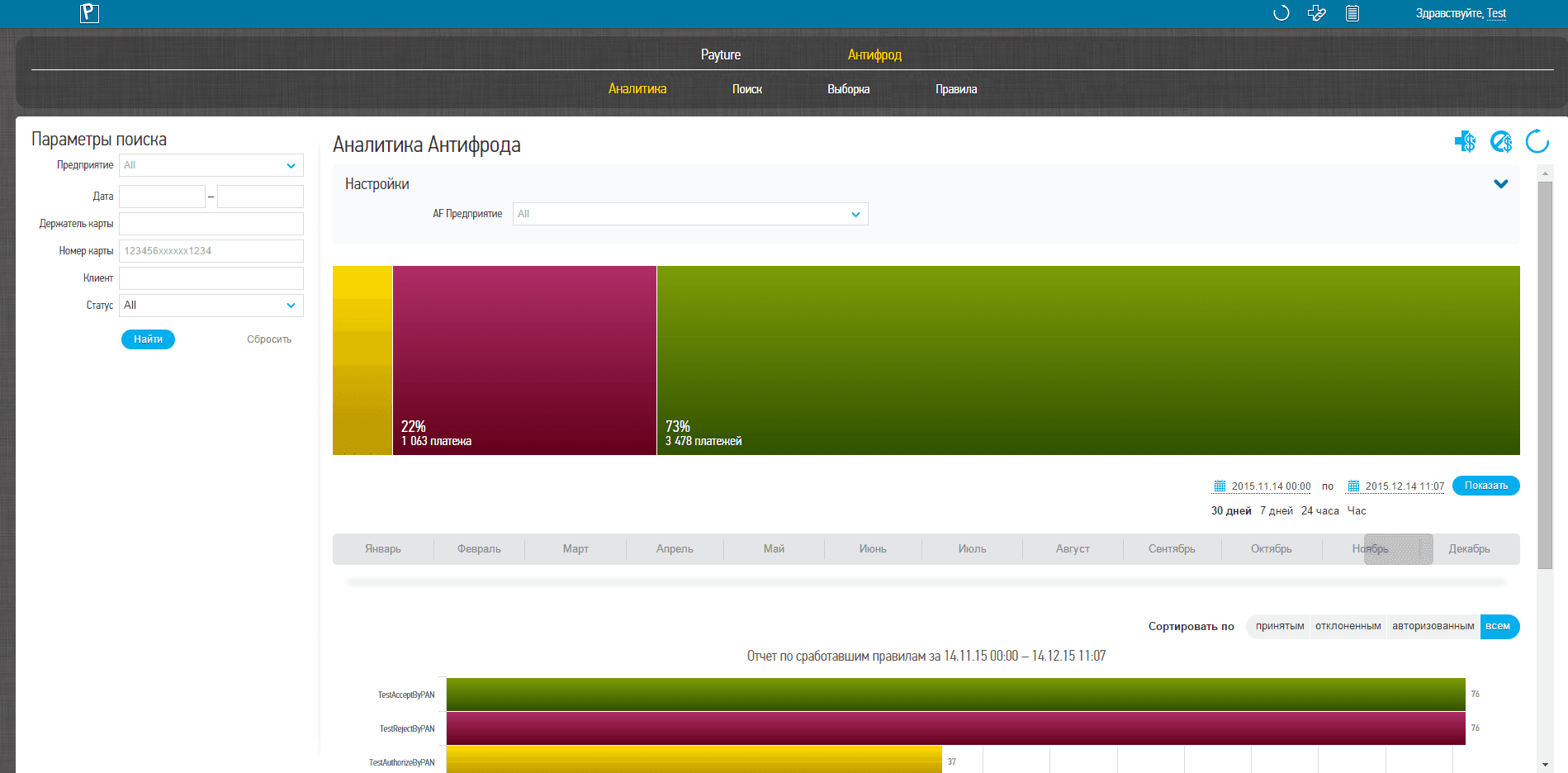 Interface in Russian
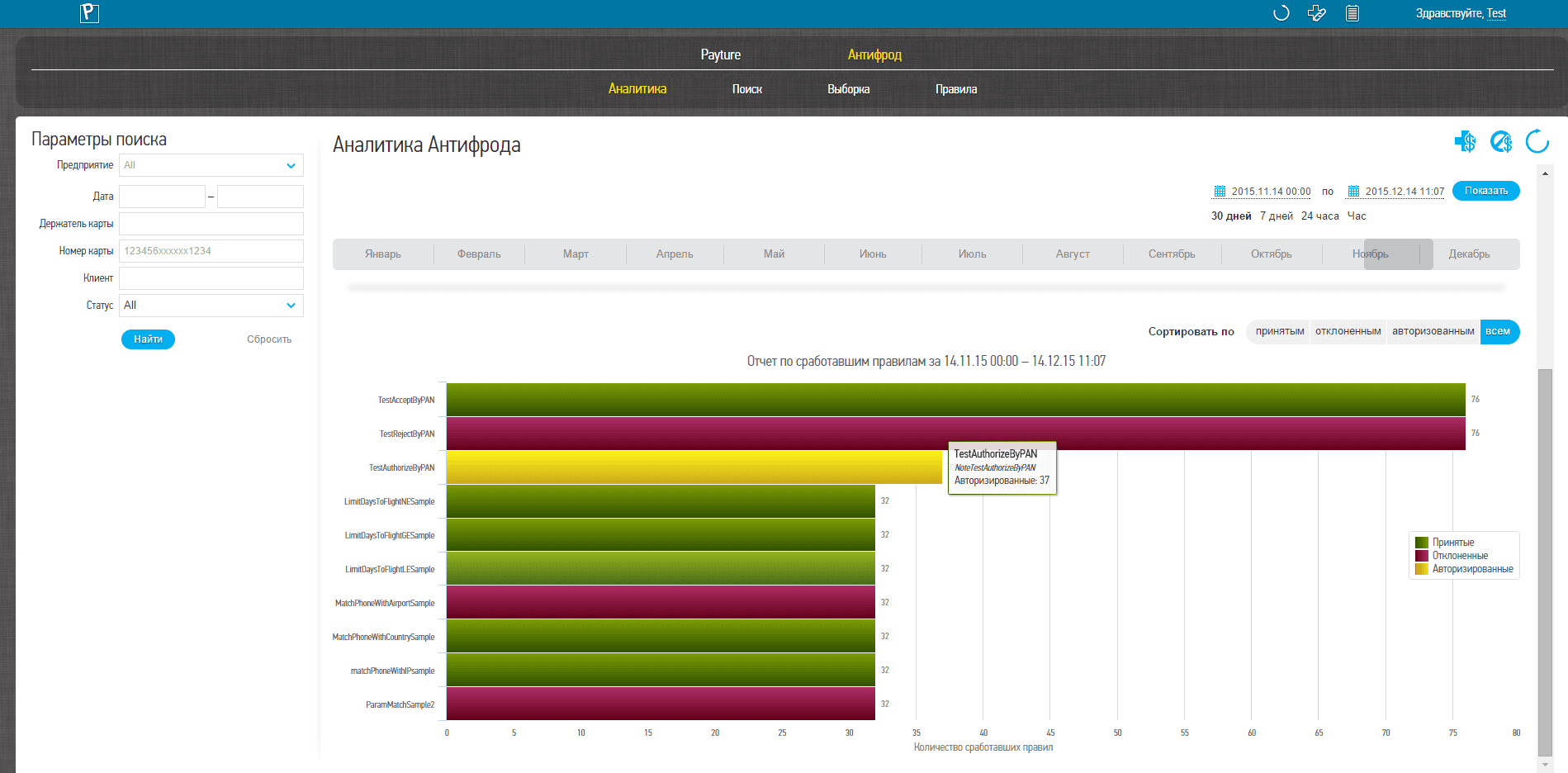 Interface in Russian
This service provides a visual overview of accepted, rejected and sent-for-authorization transactions, as well as statistics on triggered rules for the selected period.
If the user has more than one terminal, transaction and rule statistics can be viewed for each of them. Select the terminal in the "Settings" window.
Statistics can be viewed for any selected period, but the interval between the start and end dates must not exceed 30 days. For convenience, the most frequently used periods are available on the quick access panel: the last 30 days, 7 days, 24 hours and the last hour.
The upper chart shows statistics for transactions that have passed through the Anti-fraud system.
The lower chart shows the top 10 triggered rules. You can sort the rules by the rule's decision type: accepted, rejected or sent for authorization.
The left column shows the name of the triggered rule, or its type and identifier. Hover over a rule to see its description, if available.
Search/Filter
This service is available in the "AntiFraud" section on the Merchant Account home page.
These services let you find a specific transaction by its unique parameters or filter multiple transactions by a set of parameters.
Select a transaction from the list to view its details, history and the system's decision on it.
Search
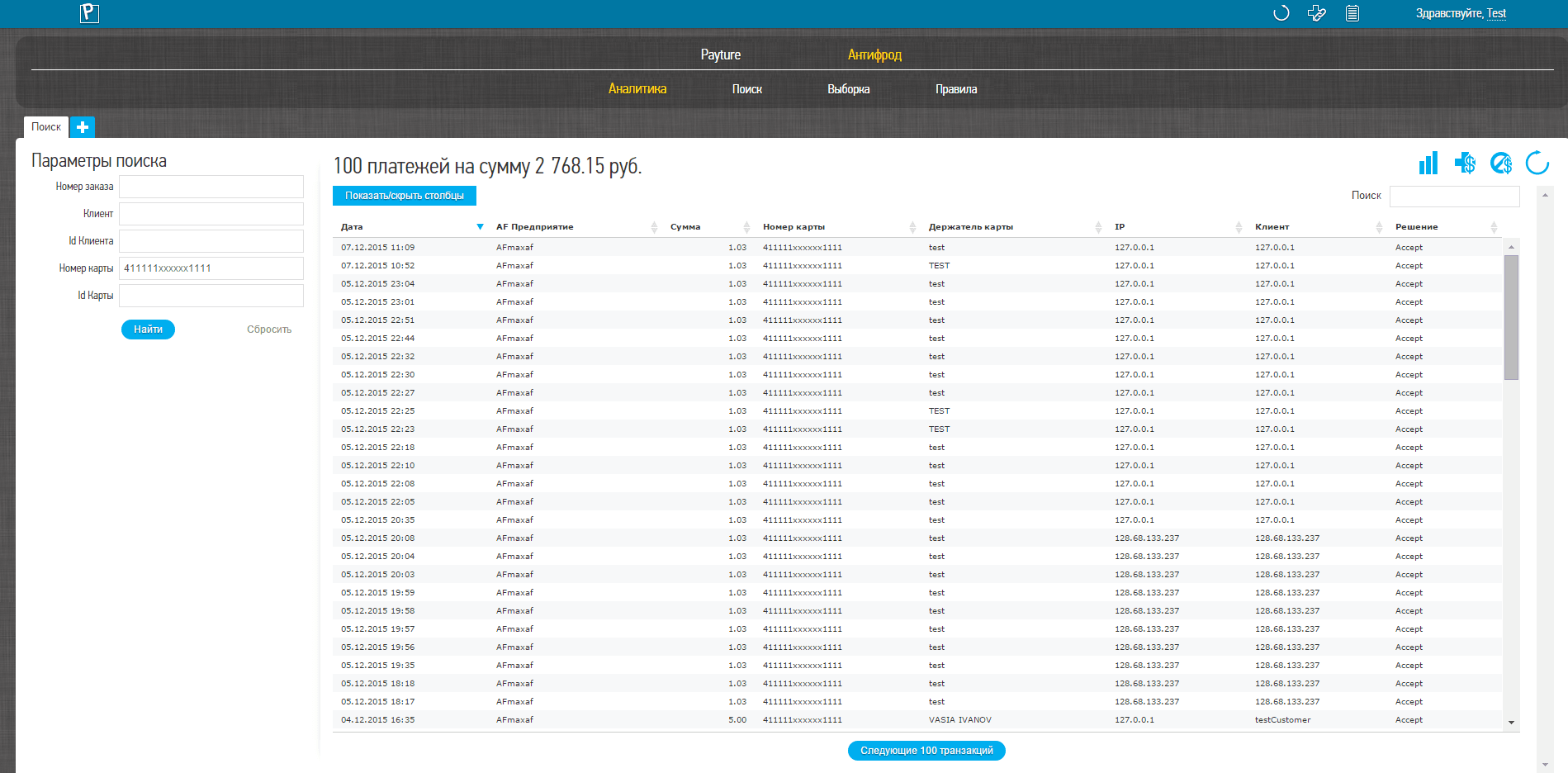 Interface in Russian
To search for a transaction, specify the values of one or more of the available transaction parameters.
| Parameter | Description |
|---|---|
| Order number | Unique order number in the Anti-fraud system |
| Customer | User identifier in the Payture system |
| Card number | Masked card number in the format "123456xxxxxx1234" The first 6 and the last 4 digits of the card number are required. Replace unknown digits of the card number with "x" |
After setting the parameters, click "Find" to run the search. The search result is a table of transactions that match the specified parameters.
Filter
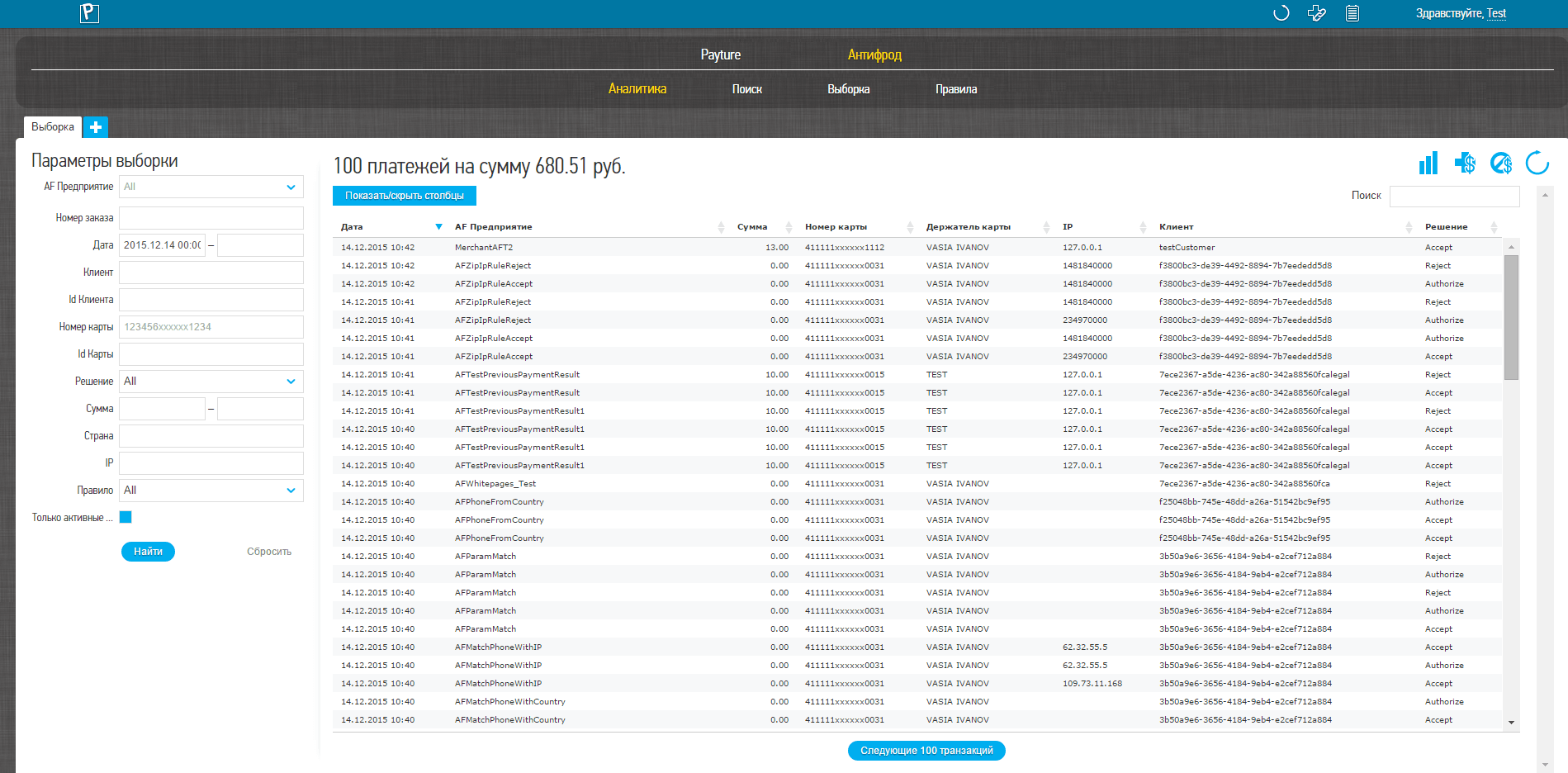 Interface in Russian
To filter transactions, specify the values of one or more of the available transaction parameters.
| Parameter | Description |
|---|---|
| Terminal | Name of the anti-fraud terminal to filter by Multiple terminals can be selected |
| Date | Date and time when the payments were made |
| Customer | User identifier in the Anti-fraud system |
| Card number | Masked card number Contains the first 6 and the last 4 digits of the card number; the remaining digits are replaced with "x" |
| Decision | Anti-fraud decision on the transaction NA — "do nothing" (used when combining a chain of rules) Accept — accepted Reject — rejected |
| Amount | Transaction amount in rubles Kopecks are separated by a decimal point |
| Country | Two-letter country code of the issuing bank of the card used for the payment attempt |
| IP | IP address from which the user accessed the Merchant's website and then the card details entry page |
| Rule | Triggered rule Available only when a terminal is selected |
| Active rules only | Show only active rules in the drop-down list Does not affect the search results |
Search results
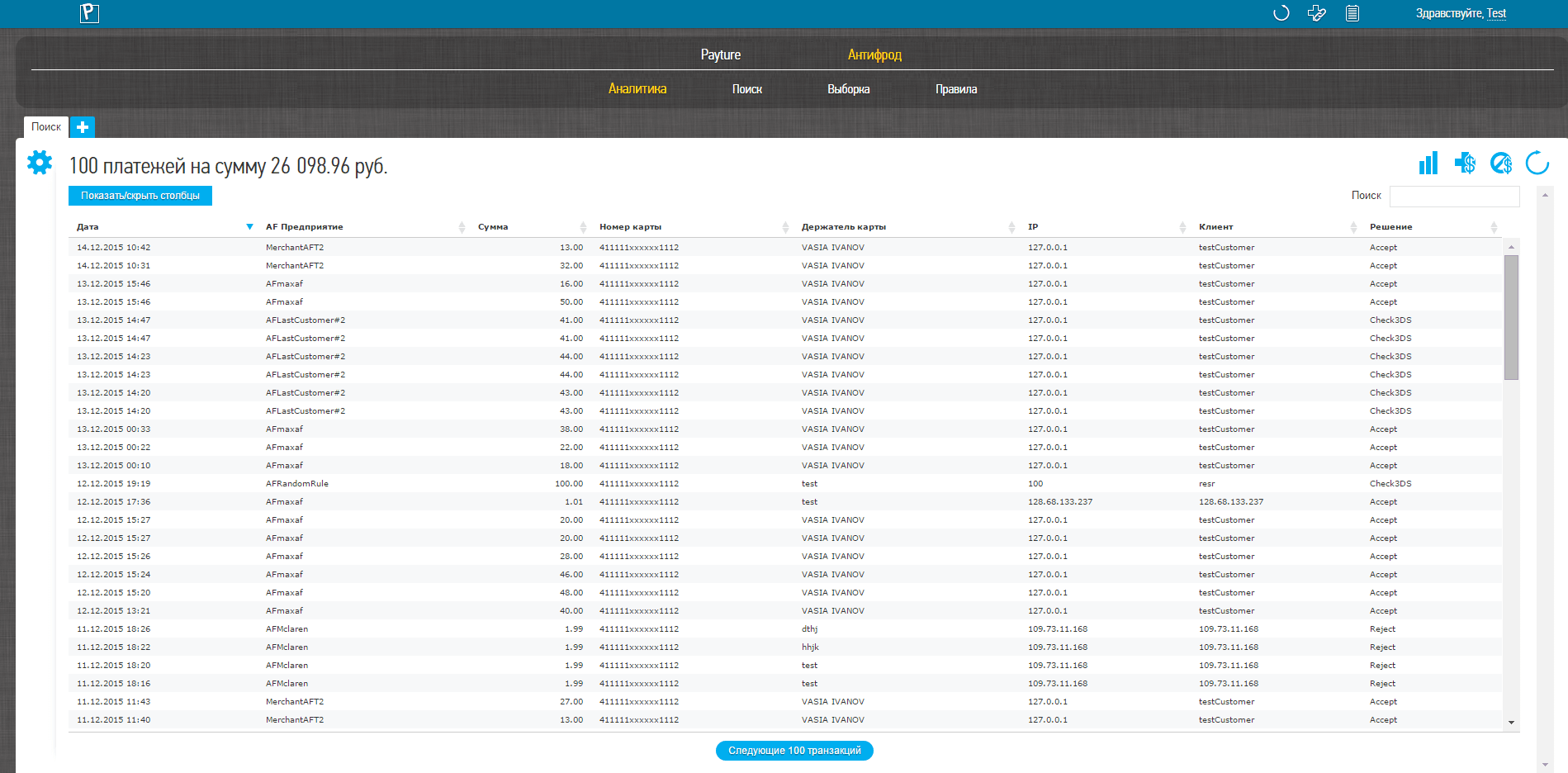 Interface in Russian
The result of a search or filter is a table of transactions that match the specified parameters.
| Parameter | Description |
|---|---|
| Date | Date and time of the payment |
| AF Merchant | Terminal name in the Anti-fraud system |
| Amount | Transaction amount in rubles Kopecks are separated by a decimal point |
| Card number | Masked card number Contains the first 6 and the last 4 digits of the card number; the remaining digits are replaced with "x" |
| Customer | Customer identifier in the Anti-fraud system |
| Decision | Anti-fraud system decision |
| Order number | Unique order number in the Anti-fraud system |
| Triggered rule | Name of the rule on which the decision was based |
You can customize the table layout as you like: rearrange columns by dragging them with the mouse, or choose which columns to display using the "Show/hide columns" button above the table.
Use the "Search" field for a quick search of orders in the table by any parameter.
Transaction details
 Interface in Russian
 Interface in Russian
 Interface in Russian
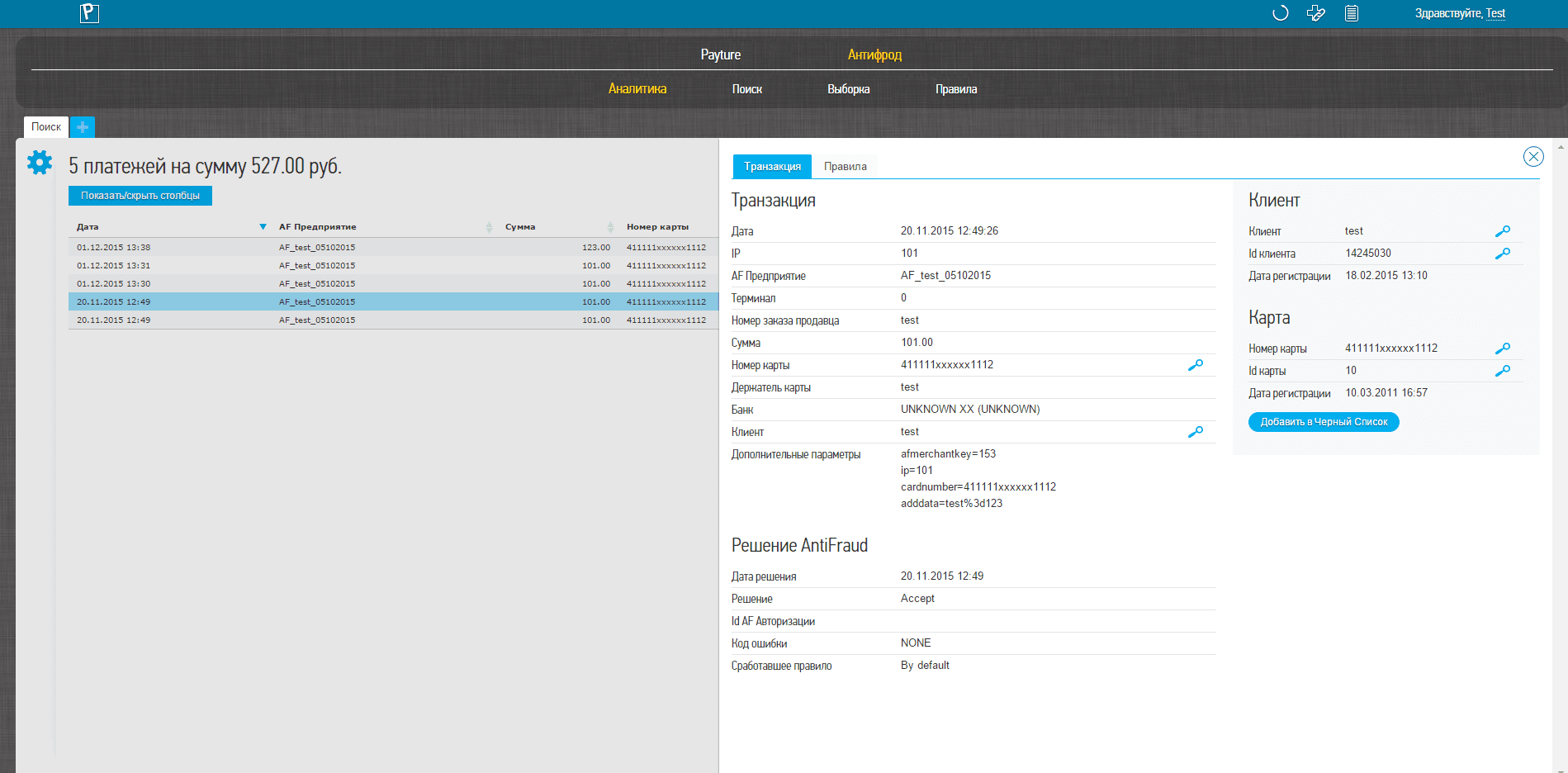
To view all parameters of an anti-fraud transaction, select the payment in the search results list.
The "Transaction" section shows all parameters of the selected transaction.
| Parameter | Description |
|---|---|
| Date | Date and time of the payment |
| IP | IP address from which the user accessed the Merchant's website and then the card details entry page The country where the Customer was likely located at the time of the payment |
| AF Merchant | Terminal name in the Anti-fraud system |
| Merchant order number | Order number (payment ID) from the payment request (corresponds to OrderId ) |
| Amount | Transaction amount in rubles Kopecks are separated by a decimal point |
| Card number | Masked card number Contains the first 6 and the last 4 digits of the card number; the middle 6 digits are replaced with "x" |
| Bank | Name of the issuing bank of the card used for the payment attempt. Two-letter country code and city of the card's issuing bank Based on Visa or Mastercard card scheme data |
| Customer | Customer identifier in the Anti-fraud system |
| Customer date | Date the Customer was registered in the Anti-fraud system |
| Additional parameters | Additional order parameters passed by the Merchant in the payment request |
The "Card number" row also shows whether the card is on the blacklist: the date it was added, how it was added, and so on. You can add the card to or remove it from the blacklist by clicking the corresponding link next to the card number.
The "Anti-fraud decision" block shows the parameters of the system's decision: the date, the decision, the authorization ID (if the decision was Authorize), the name of the triggered rule and the error code, if any.
The "Payment result" block shows the final payment parameters: the payment date and amount, whether it was successful, and whether it went through 3DS authentication.
Authorization
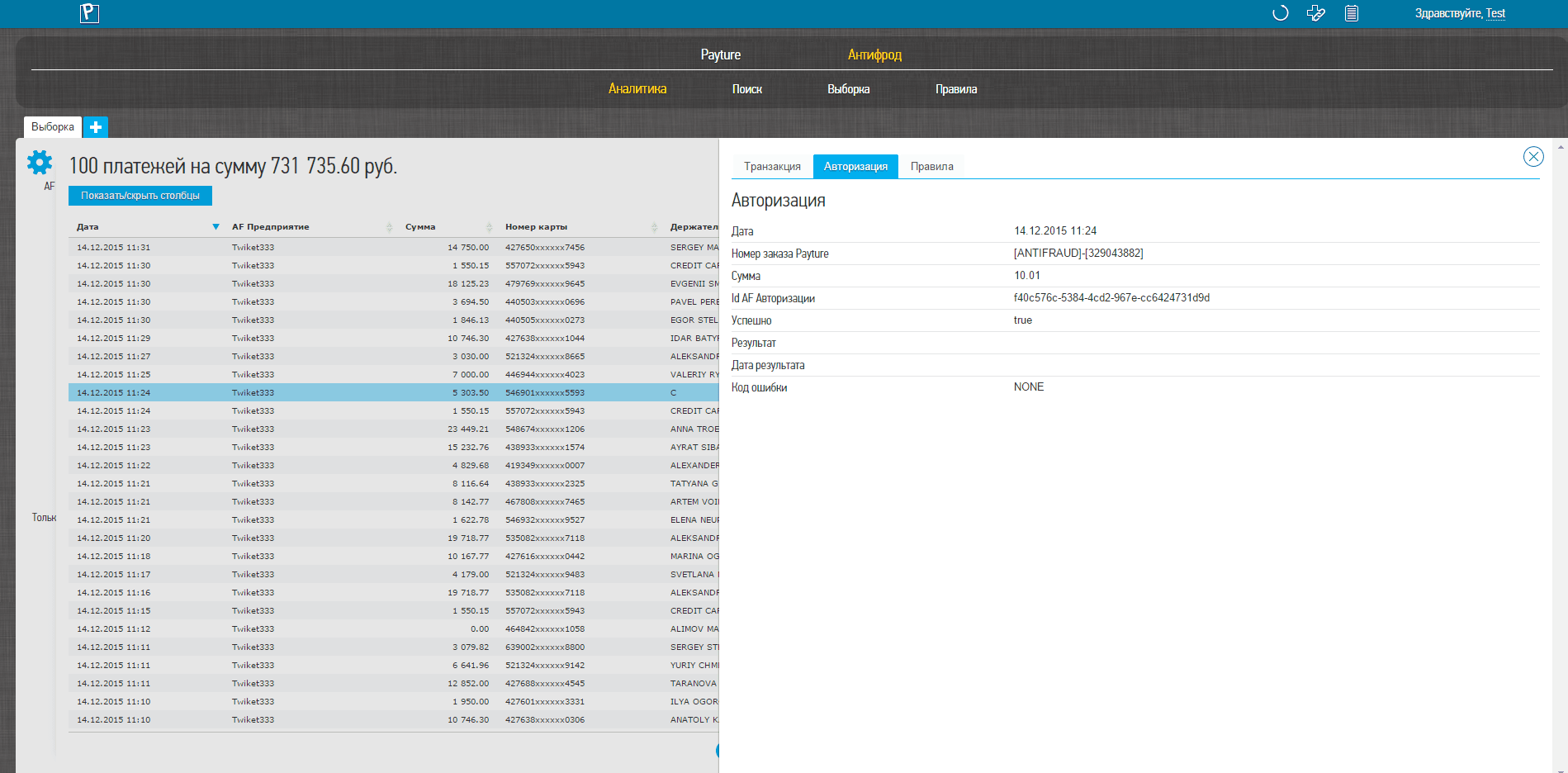
If the system's decision was "Authorize", the "Authorization" panel becomes available.
| Parameter | Description |
|---|---|
| Date | Date and time of the operation |
| Amount | Transaction amount in rubles Kopecks are separated by a decimal point |
| AF authorization ID | Anti-fraud authorization identifier |
| Successful | Authorization success flag |
| Result | Authorization result |
| Result date | Date of the authorization result |
| Error code | Authorization error code, if any |
If there were several authorization attempts, a table of attempts is shown below, containing the date of each attempt, whether it succeeded, and the error code if it failed.
Rules
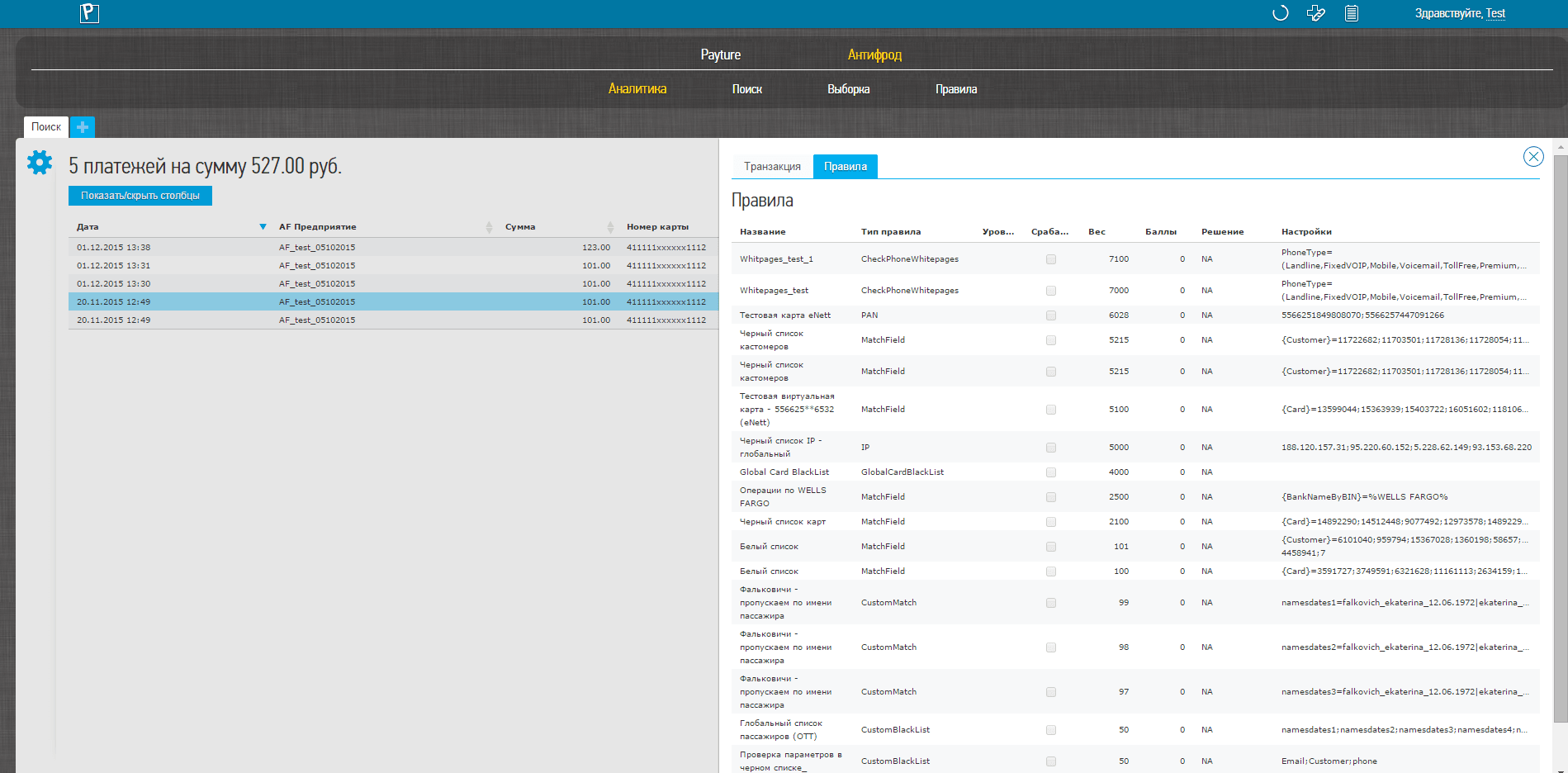
The "Rules" tab shows the history of triggered rules. Rules are listed in the order in which the transaction passed through them. The last rule shown is the one on which the system based its decision.
This table shows the rule name, its type, whether the rule was triggered, the rule weight, the rule's decision on this transaction, and its settings.